Updating
Firefox
Nothing to do. Firefox updates Replay Suite on its own from Firefox Add-ons, usually within a day of a new version.
Chrome and Edge
Chrome and Edge do not update add-ons that were installed by hand, so you update them yourself. It takes two minutes, and your hands stay where they are.
Is there a new version?
- Click the Replay Suite icon. The version you have is written at the bottom of the popup, for example Version 4.0.1.
- Compare it with the latest version: 4.0.1. The Versions page lists what changed in each one.
If the numbers match, you are up to date.
Update
- Back up first. Click the Replay Suite icon, then Back up, and keep the file. It is thirty seconds of insurance.
- Download the new version: download version 4.0.1. The file is called
replay-suite-chrome.zip, the same name every time. - Unzip it over the old folder, in the same place as before, and say yes when your computer asks whether to replace the files.
- On Windows: right-click the file, Extract All, choose the same folder as last time, and tick Replace the files in the destination.
- On a Mac: double-click the file, then drag the new folder over the old one and choose Replace.
- Reload the add-on. Type
chrome://extensions(oredge://extensionsin Edge) in the address bar, find the Replay Suite card, and click its round reload arrow. - Check. The card now shows the new version number. Open the dashboard: your hands are all there.
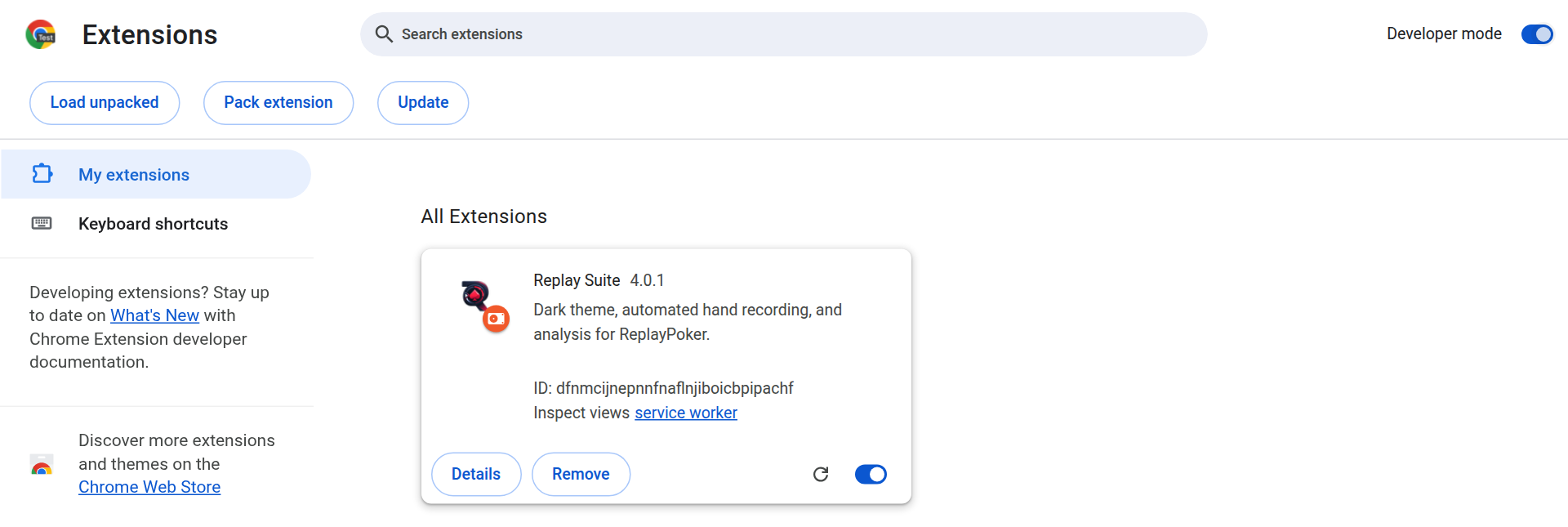
Never click Remove
Removing the add-on from chrome://extensions or edge://extensions deletes every hand it has recorded. To update, always reload, never remove. If you ever do need to remove it, back up first, and Restore after installing again.
If something looks wrong
Your hands are stored by the browser, not in the folder you unzipped, so replacing the folder never touches them. If the dashboard is ever empty after an update, do not panic and do not remove anything: open Settings, Data, Restore, and choose the backup from step 1.
The Replay Suite card in chrome://extensions shows an ID. For the downloads from this site it is always dfnmcijnepnnfnaflnjiboicbpipachf, whichever folder you load it from. If yours shows something else, you are running an older test build: back up, install the current version, then Restore.