Settings and your data
Click the icon, then Settings. Settings opens in its own tab with six sections: Data, Appearance, Recording, Background, HUD, Danger zone.
Back up
Read this one
Your hands are stored only in your browser, on this computer. If you reinstall the browser, switch computers, or clear your browsing data, they are gone. Unless you have a backup file.
- Click the icon, then Back up. (Also in Settings, Data.)
- The browser saves one file, named like
replay-suite-backup-2026-09-21.rsb.gz. - Keep it wherever you keep photos. That is all.
The add-on reminds you in the popup when you have played a lot since the last backup. One click, done.
Restore
Restore puts a backup file back, for example on a new computer.
It replaces everything currently stored, so the add-on shows you what is about to be replaced and asks you to type REPLACE before it goes ahead. It also saves a copy of the current data first, so a mistake can be undone.
Import
Import merges hands from a file into what you already have. Nothing is replaced, and the same hand is never stored twice.
If you used the older ReplayTracker tool, its exported files go in here.
Export for other trackers
Writes your hands in PokerStars hand-history format, the format PokerTracker, Hold'em Manager, solvers and most other poker software read. It turns your Replay hands into something those tools can use, which Replay itself does not offer.
- Everything: Settings, Data, Export as PokerStars.
- One session or tournament: the ↓ PS button next to it in the dashboard.
- One hand: Download as PokerStars in the replayer.
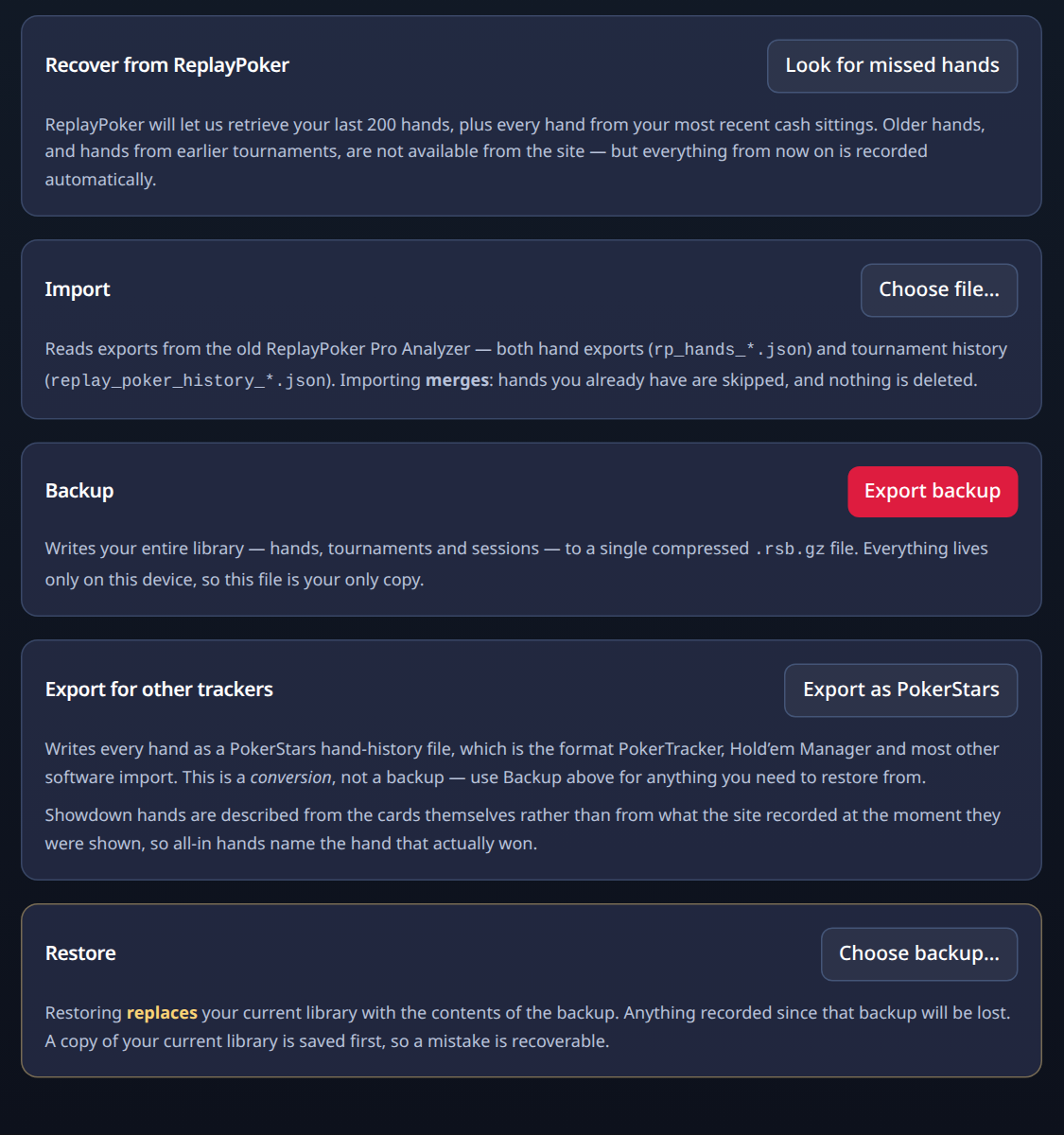
An export is a conversion for other software, not a backup. Use Back up for anything you need to restore from.
Recover from ReplayPoker
Fetches hands and tournament results from Replay's own history pages. It is the same thing the welcome screen offered. Run it again any time, for example after a bad connection lost a few hands.
Background
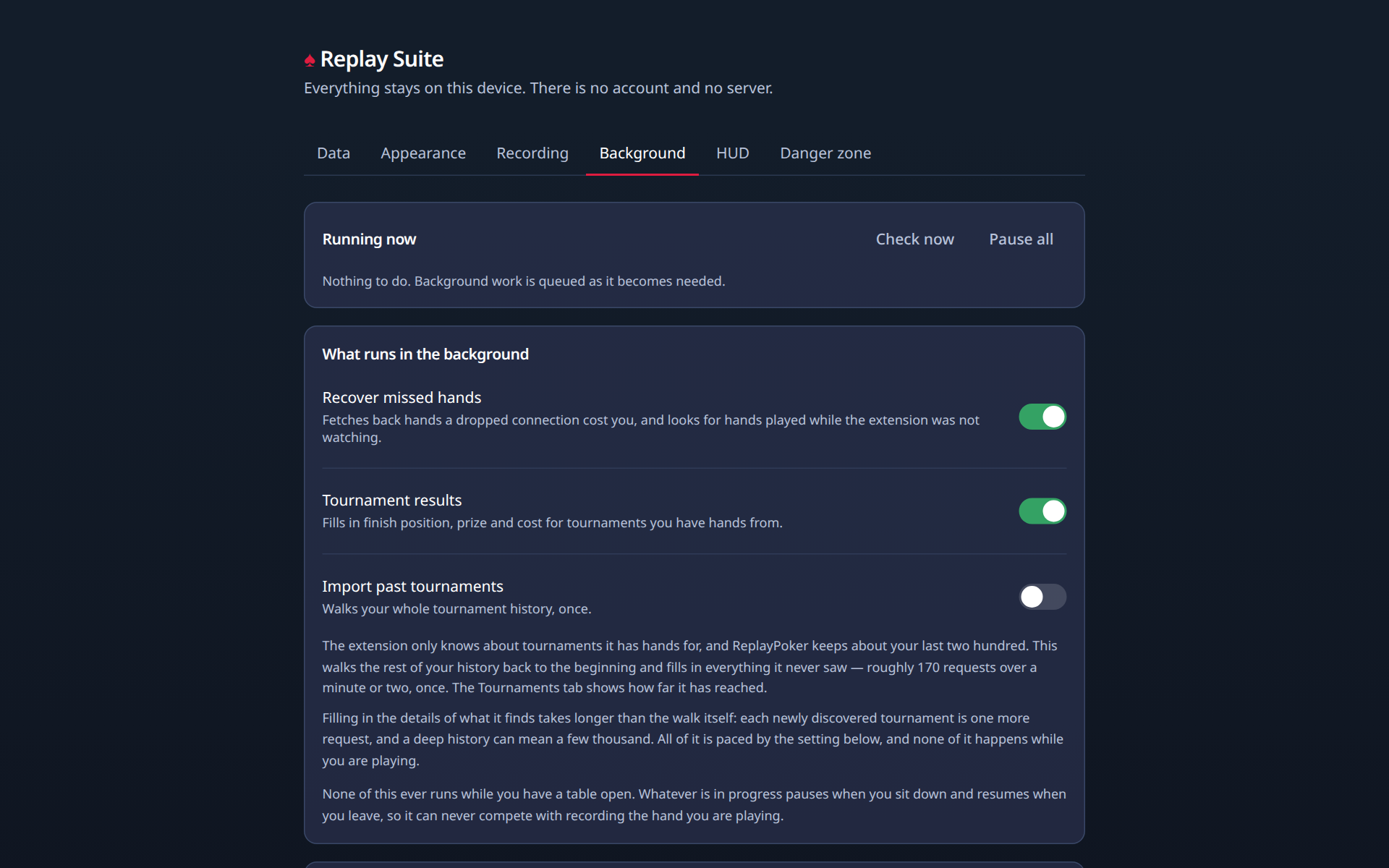
The add-on does some work when you are not at a table: bringing in old hands, checking tournament results, fetching skipped hands. This section shows what is running now and lets you pause it.
The slider is how hard the add-on is allowed to work Replay's servers. Slow is the default and it is the polite setting. Faster is allowed, and the page tells you what it costs.
Appearance
Retro mode is the dark look Replay used to have. Switch it on or off here or in the popup. It takes effect the next time you open or reload a Replay page.
Recording
Record hands automatically is on from the start. Turn it off if you want to play without saving for a while. Everything already saved stays.
HUD
Everything about the badge at the table. It has its own page: The HUD.
Danger zone
Delete everything removes every hand, session, tournament and setting from this browser. Two clicks. It cannot be undone, which is what backups are for.
Uninstalling the add-on also removes its data.
Support
The add-on is free and stays free. Support in the popup opens a small screen with links for saying thanks and for sending feedback. They are ordinary links. Nothing is loaded from those sites unless you go there.